What's changed in SaaS v2
Moderne SaaS v2 brings substantial changes across the platform: more scalable recipe execution, support for more languages, new ways track activity, etc. This doc walks through what's new, what's faster, and what's changed compared to SaaS v1.
New features
Changelog
This feature can be enabled/disabled upon request. Please reach out to your account representative if you wish to use it.
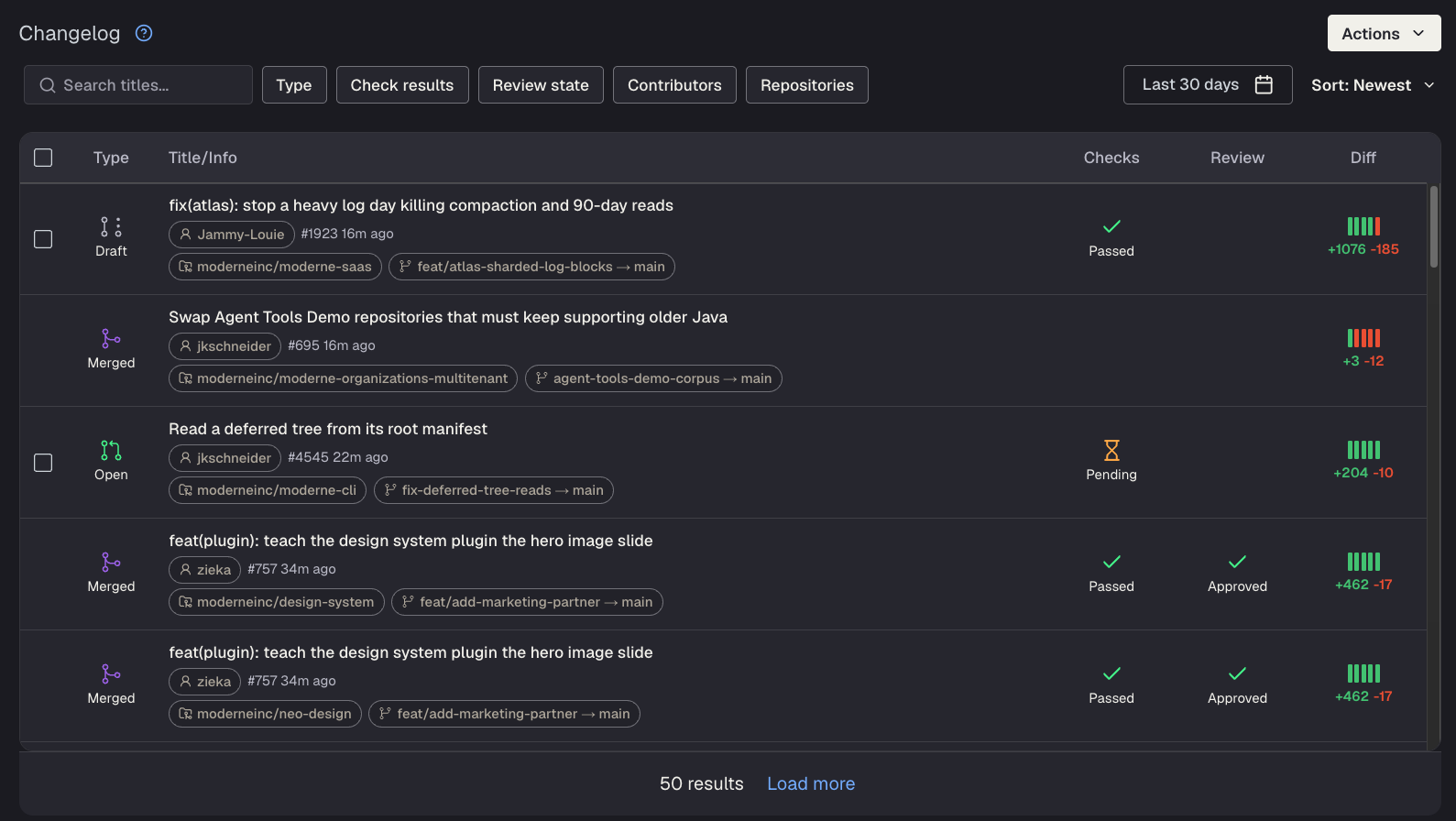
You can now view all code changes across your organization in one place. The Moderne Changelog tracks pull requests, commits, and activity across every repository — so you no longer need to jump between tools to understand what's happening.
Atlas status pages
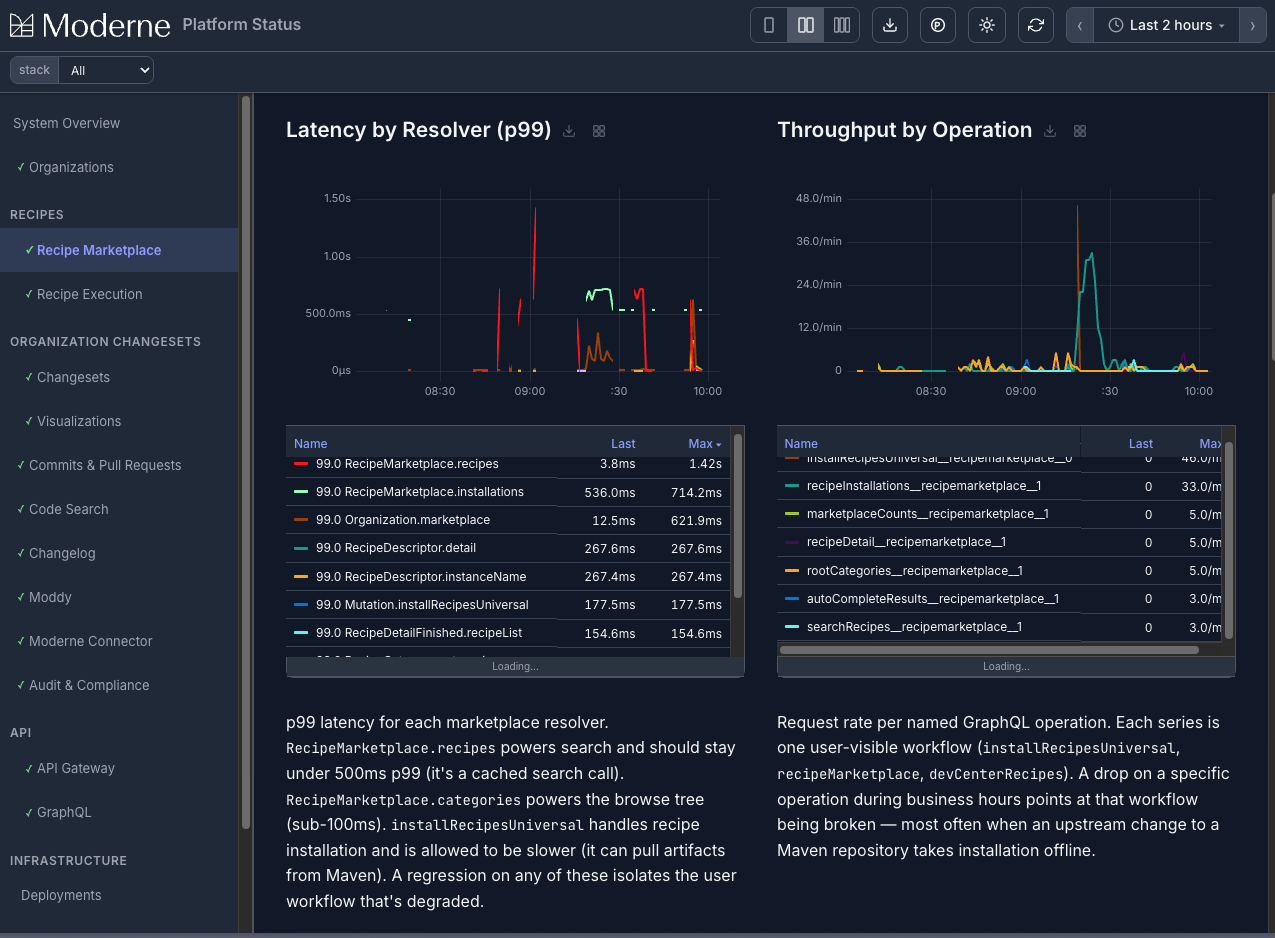
Atlas status pages surface significantly more insight into what's happening across the platform, making it easier to monitor service health and pinpoint issues when they arise.
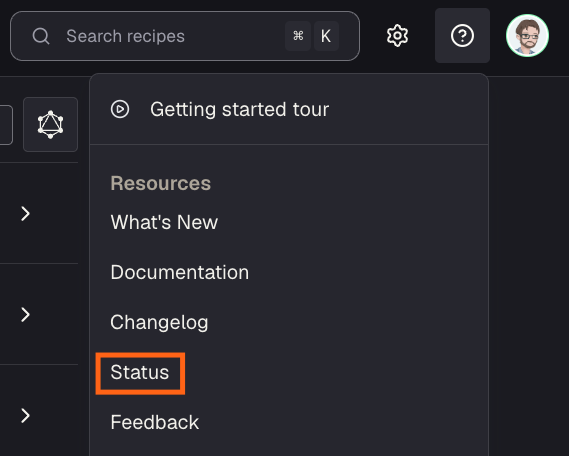
You can access this page by clicking on ? icon in the top-right of the SaaS and then selecting Status:
Continuous profiling across the platform
This feature can be enabled/disabled upon request. Please reach out to your account representative if you wish to use it.
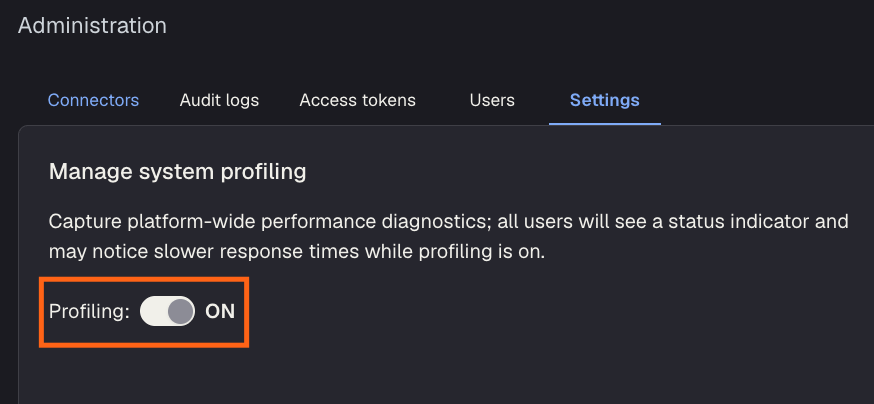
SaaS v2 ships with Pyroscope-based continuous profiling for every microservice in the platform — authorization, organization, the recipe worker, Moddy, the marketplace, and more. You can inspect CPU usage, memory allocation, mutex contention, and blocking time as flamegraphs, making it much easier to track down performance regressions wherever they live in the stack. When a recipe is running slowly, profiling the modernecli application can pinpoint exactly which code path is responsible.
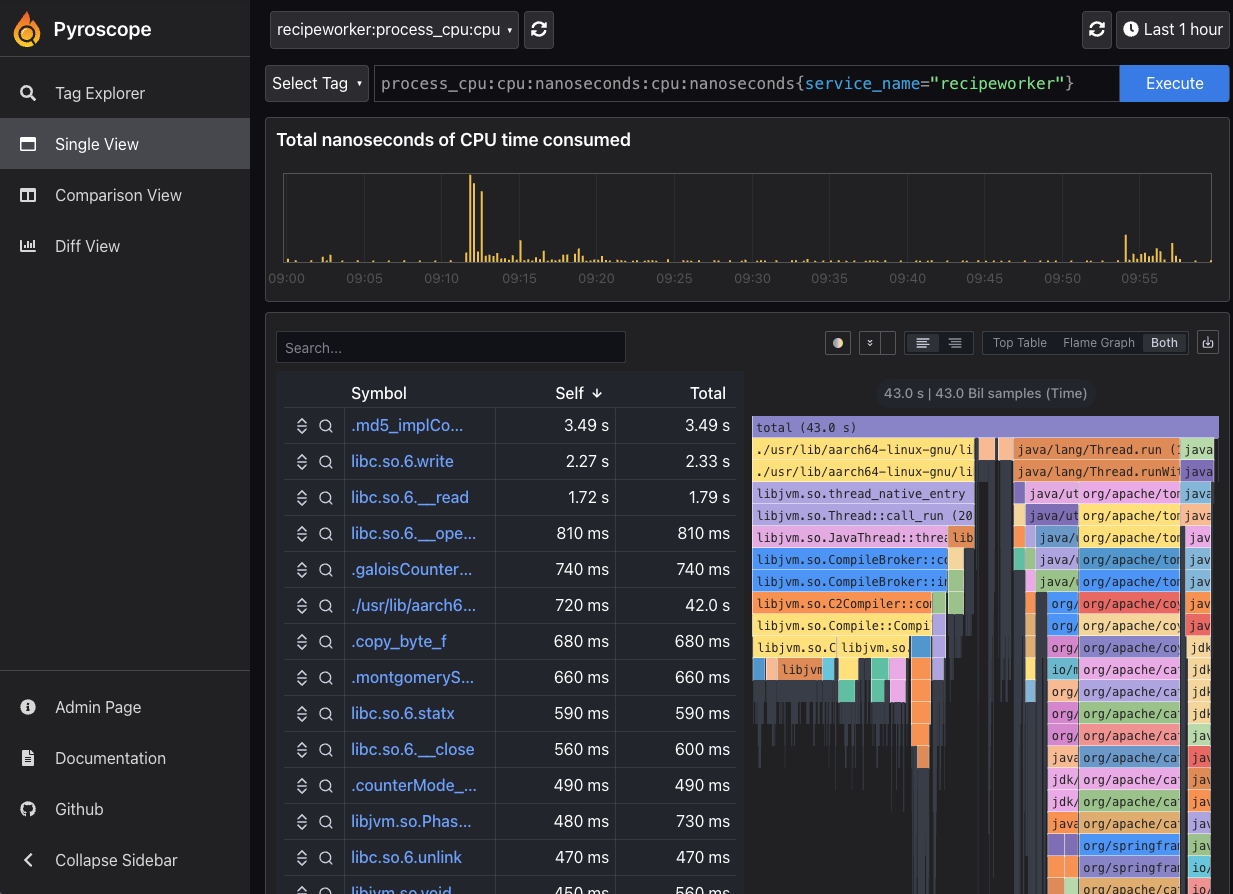
To enable profiling, you'll need to be an admin. Then click on the gear icon in the top-right and select Settings. You should then see a profiling enable button. Please note that performance may decrease while profiling is enabled.
Native recipes in more languages
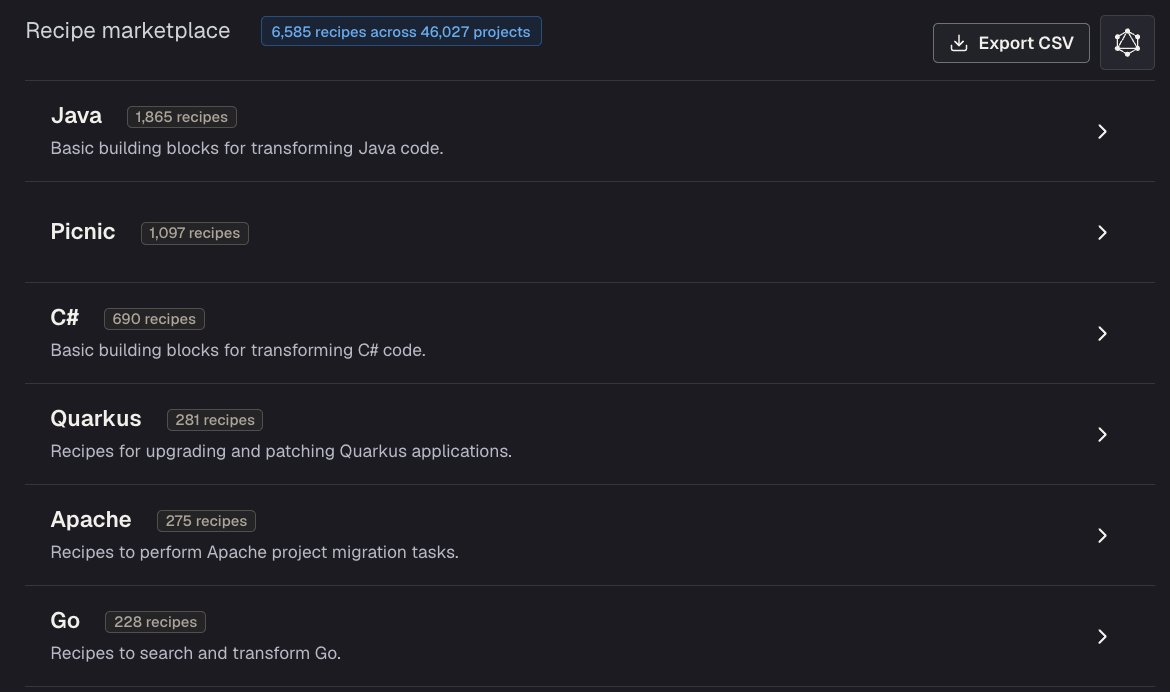
SaaS v2 can run native recipes written in more languages now. These include JavaScript, TypeScript, Python, C#, and Go.
Customizable marketplaces
Marketplaces can now be configured differently for different organizations, allowing you to create mini sandbox environments for testing specific recipes within a subset of your org. The marketplace UI has also been redesigned based on customer feedback.
Fast and slow lanes for recipe runs
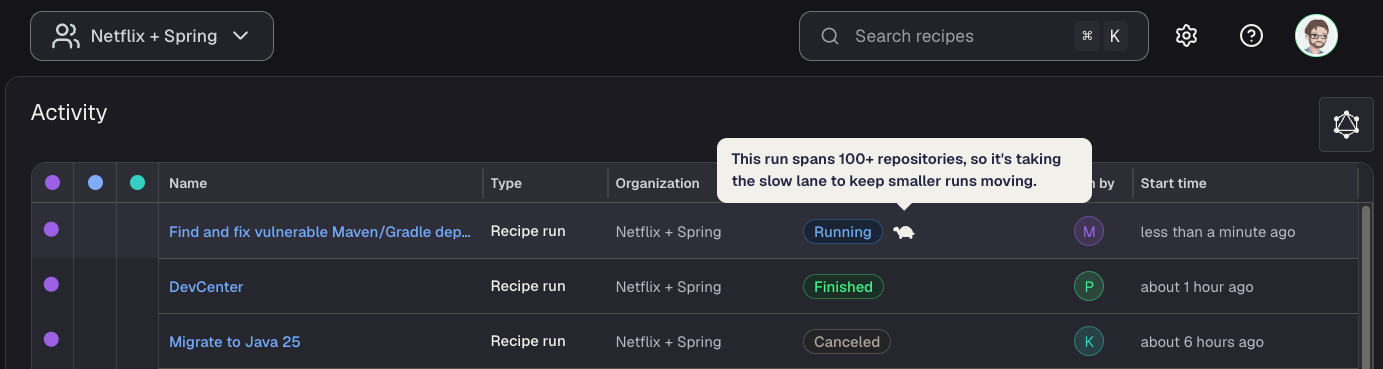
Recipe runs are now split across two queues so that a short run doesn't have to wait behind a long one. When you start a run, Moderne counts the repositories in the organization you're running against and assigns the run to a lane:
- Fast lane: organizations with 100 or fewer repositories.
- Slow lane: organizations with more than 100 repositories.
Part of the recipe worker fleet is reserved for the fast lane, so small runs keep moving even while a large organization works its way through the slow lane. The remaining workers take slow lane work first and pick up fast lane runs as capacity frees up.
There's nothing to choose or configure. When a run takes the slow lane, an indicator appears next to its status in the activity view, and hovering over it explains why.
Performance improvements
Recipe scalability
Recipes can now run against substantially larger organizations than before. As part of this work, data tables that previously could not be generated due to the number of repositories involved can now be produced reliably.
Moddy works in restricted environments
Previously, Moddy did not work in locked-down environments because it relied on server-sent events. Moddy now polls for updates instead, so it works in restricted environments where server-sent events are blocked.
Faster builder for large recipes
The recipe builder has been improved in two ways:
- Referential de-duping for pre-packaged recipes reduces redundant text while keeping descriptions accurate.
- Builds are substantially faster for larger recipes.
Functional changes
Moderne Agent renamed to Moderne Connector
The Moderne Agent has been renamed to the Moderne Connector to avoid confusion with AI agents. Configuration has also been reorganized to more clearly separate settings per microservice and functional component.
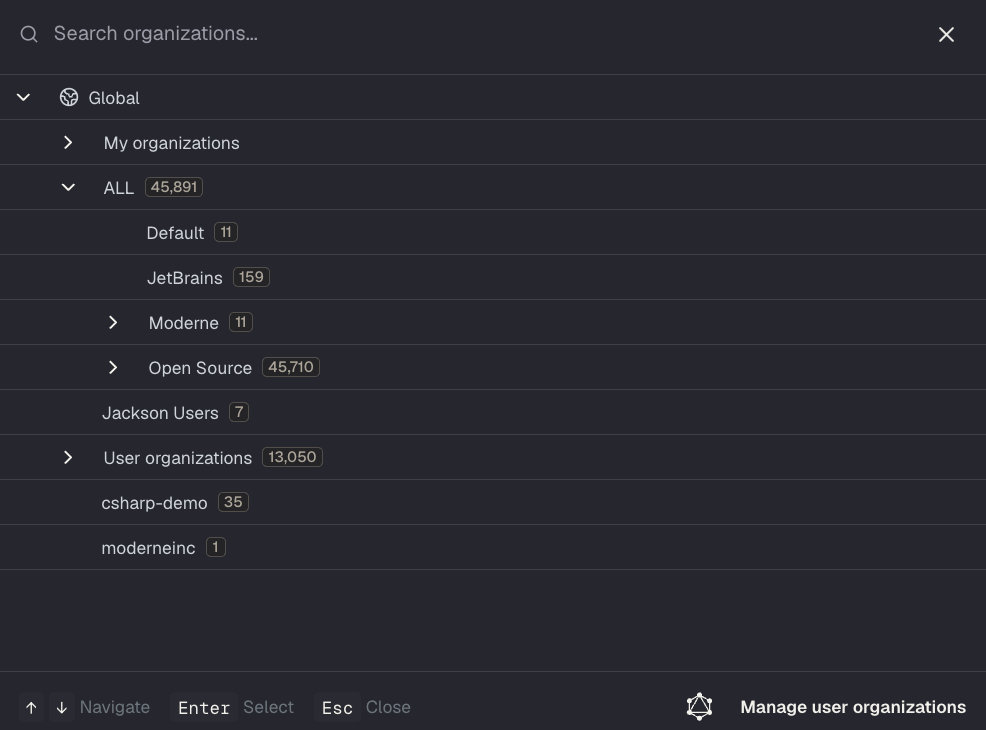
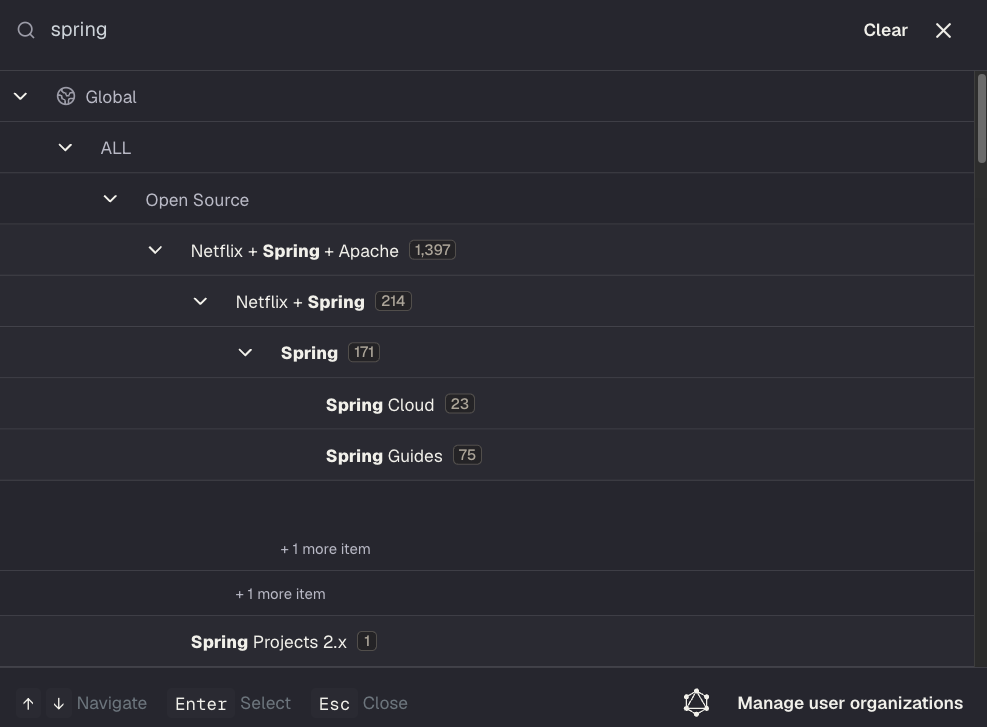
Redesigned org viewer
The org viewer has been redesigned based on customer feedback:
- The org selector now shows how many repositories are in each org.
- Search is more visually clear and provides more context about what you're searching for.
- You can search for a parent org and quickly navigate to its child orgs.
Per-repository LST status replaces Lost and Found
The repositories table now reports LST status for each repository, rather than collecting problem repositories into a separate view. An LST available column shows one of three states, alongside a Last published column recording when an LST was last produced:
Available: an LST has been published and is reachable for recipe runs.Unavailable: an LST was published previously, but it can't be reached now. Where the Connector recorded a reason for the failure, the pill carries it.Not ingested: no LST has ever been published for the repository.
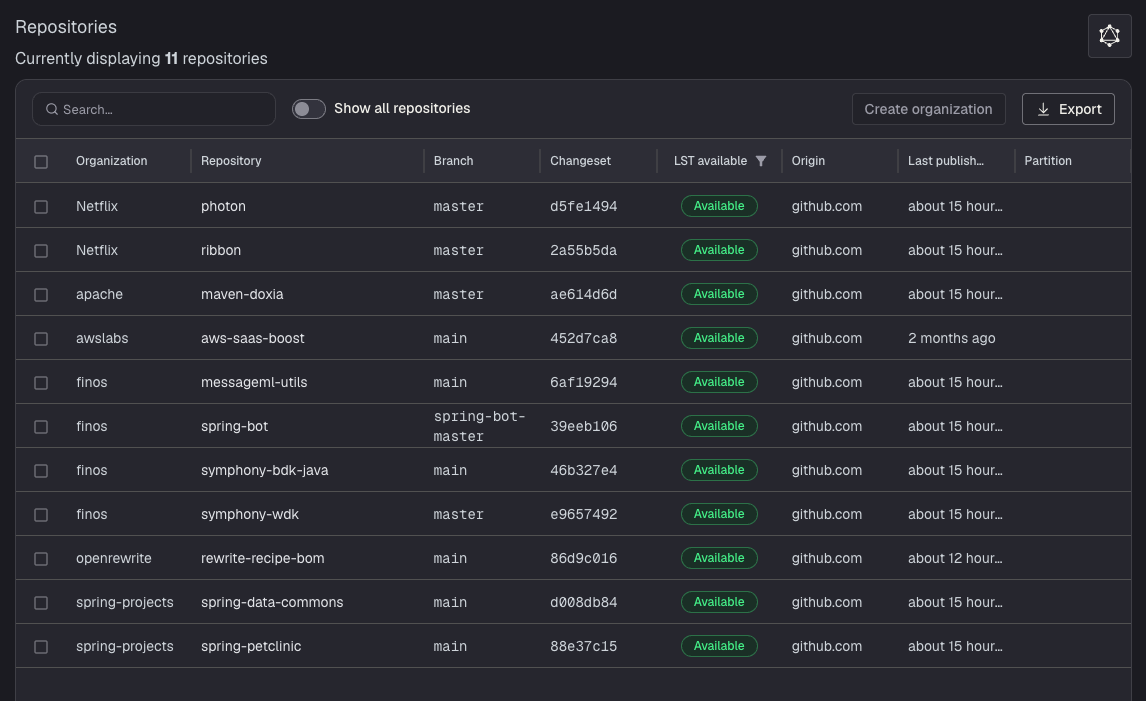
By default the table lists only repositories whose LST is available. The Show all repositories toggle in the toolbar widens it to every repository in the organization, which includes those in the Unavailable state as well as those that were never ingested.
Because this information is now per repository, the lostAndFound GraphQL query has been removed. Lost and Found had itself replaced the Orphaned organization, which was removed back in v1, so neither is available in v2. To find repositories in an organization that have no usable LST, filter repositories on lstArtifact instead, as described in Troubleshooting LST issues.
Lost and Found also worked in the reverse direction, listing repositories that had been ingested but weren't named in repos.csv. In v2 the organization hierarchy is the source of truth for which repositories the platform tracks, so that check happens against the hierarchy itself: turn on Show all repositories and compare what the organization contains against what you expect it to.
Global org
There is now a global org that encompasses every organization, including user orgs. This makes it easier to run recipes and view activity at the highest level of your org hierarchy.
Administrators can see every user-configured organization
Administrators now see every user's user-configured organizations, grouped by owner under User organizations in the org selector. Their own organizations stay under My organizations.
Everyone else is unaffected and still sees only the organizations they created themselves. For more on creating and managing them, see managing user-configured organizations.
Updated deploy page
The deploy page has been substantially updated:
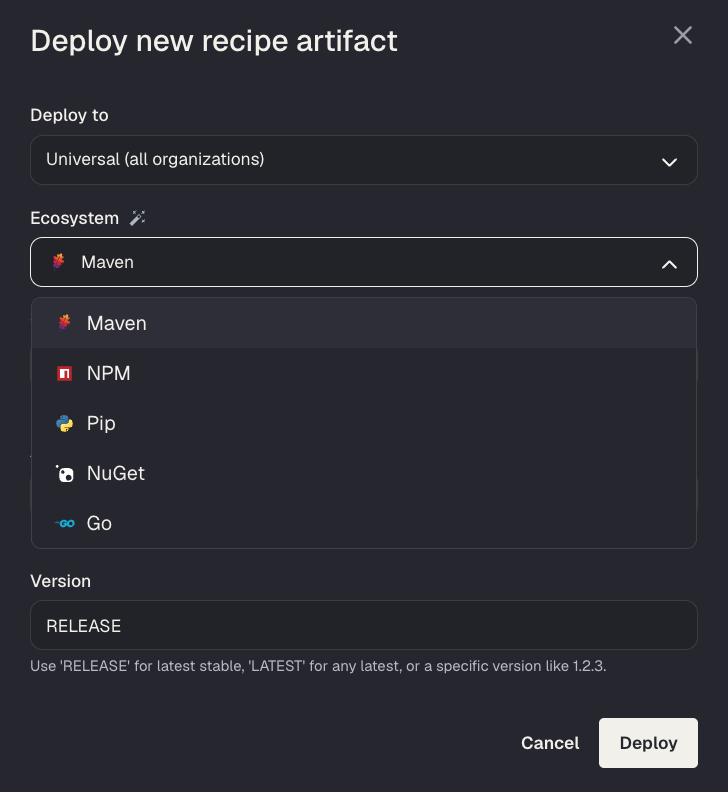
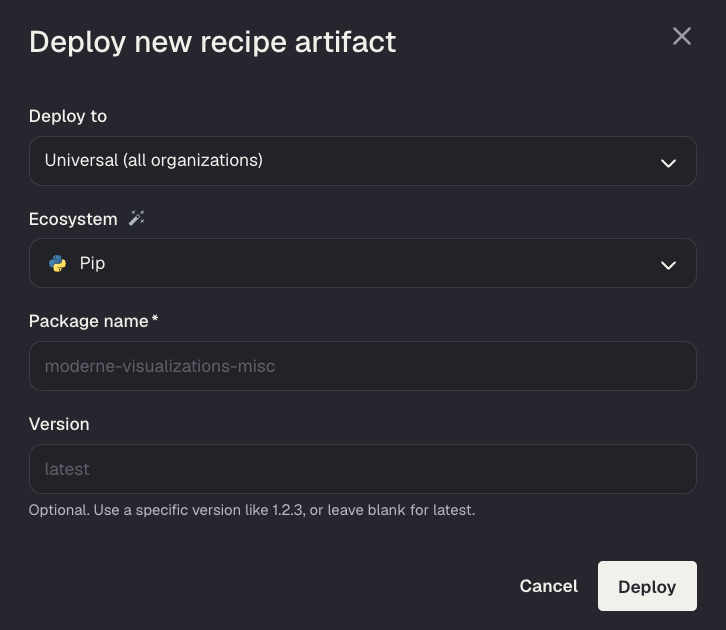
- You can now deploy recipes from ecosystems like pip and NuGet, which was not previously supported.
- The Add artifact modal has smart defaults and clearer ecosystem-specific syntax, making it easier to understand what to enter for each ecosystem.
- For instance, if you wanted to deploy an NPM artifact, the version dropdown would let you specify a specific version or use the latest/next tag - with descriptions of what each did. In contrast, if you tried to deploy a Pip artifact, the version dropdown would not include a "next" tag as that doesn't apply to Pip artifacts.
Audit log changes
The audit log UI has been removed. Audit logs are now available only as a CSV or CEF download.
Activity view surfaces data tables
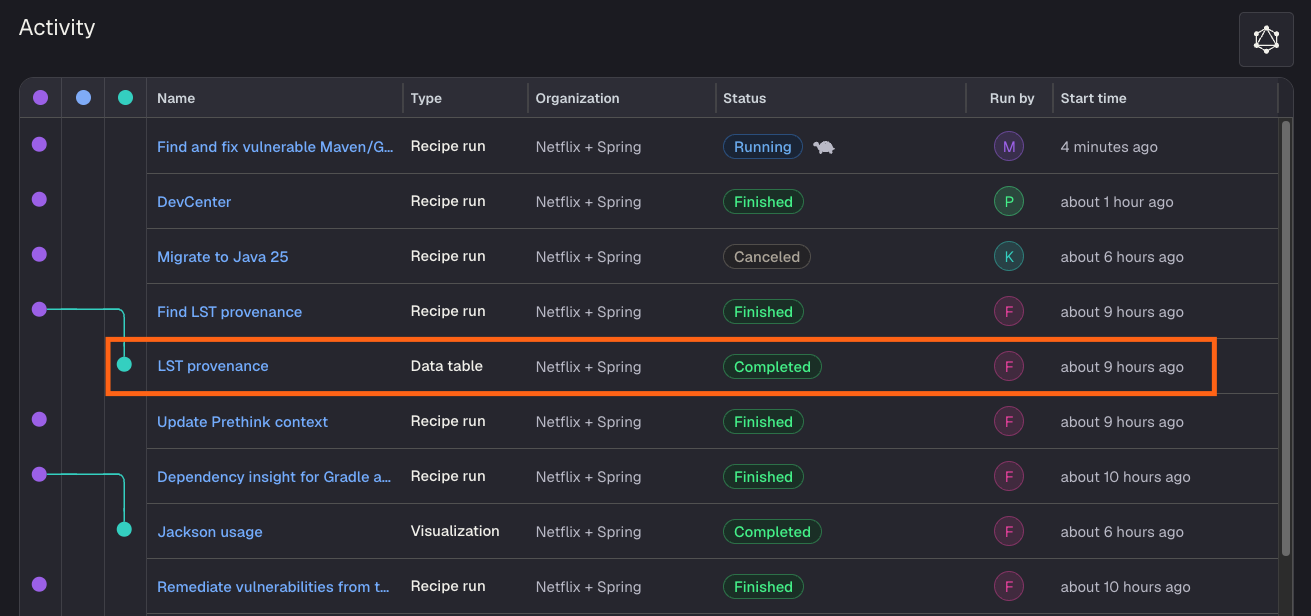
The activity view has been expanded to include data tables. If someone in your organization has already generated a data table, you can find it in the activity view instead of regenerating it yourself.
Failed repositories now appear in results
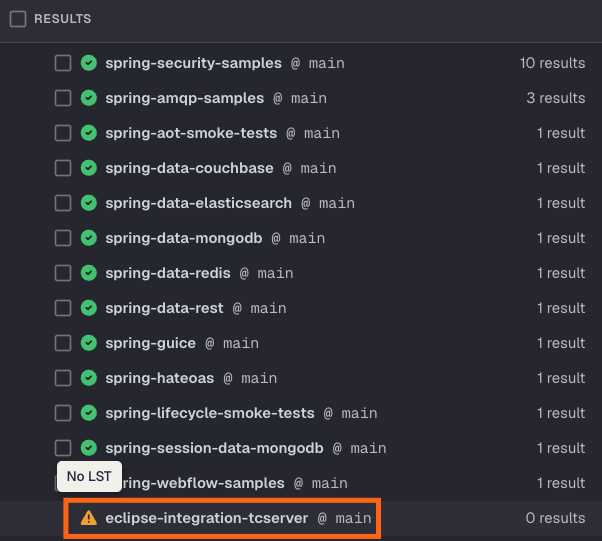
Previously, if a repository failed during a recipe run, it did not appear in the results view — you had to check the status tab to see why it was missing. Failed repositories are now included in the results view and clearly labeled as failures.
Recipe results persist between deployments
Recipe results, data tables, and visualizations now persist between deployments. Previously, they were wiped on every deployment. Now, they stick around - giving you context into what happened over a longer period of time.