Module 1: Migration assessment in the Moderne Platform
In this module, you will run the Spring Boot 4 migration recipe in the Moderne Platform, then use code insight recipes to find the biggest risks and blockers. The idea is to see what breaks before investing time in fixes.
Exercise 1-1: Capture a DevCenter baseline
Goals for this exercise
- Get an idea of the starting point for Java and Spring Boot versions
Steps
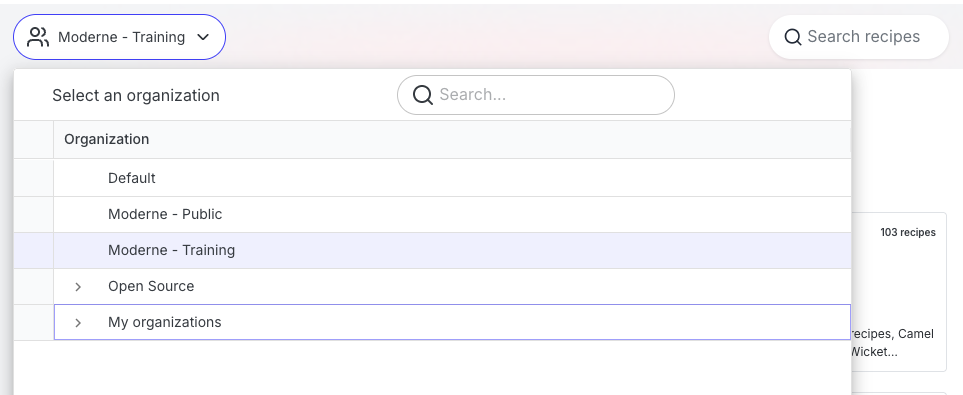
- Navigate to app.moderne.io and sign in. Select Moderne - Training from the organization dropdown.
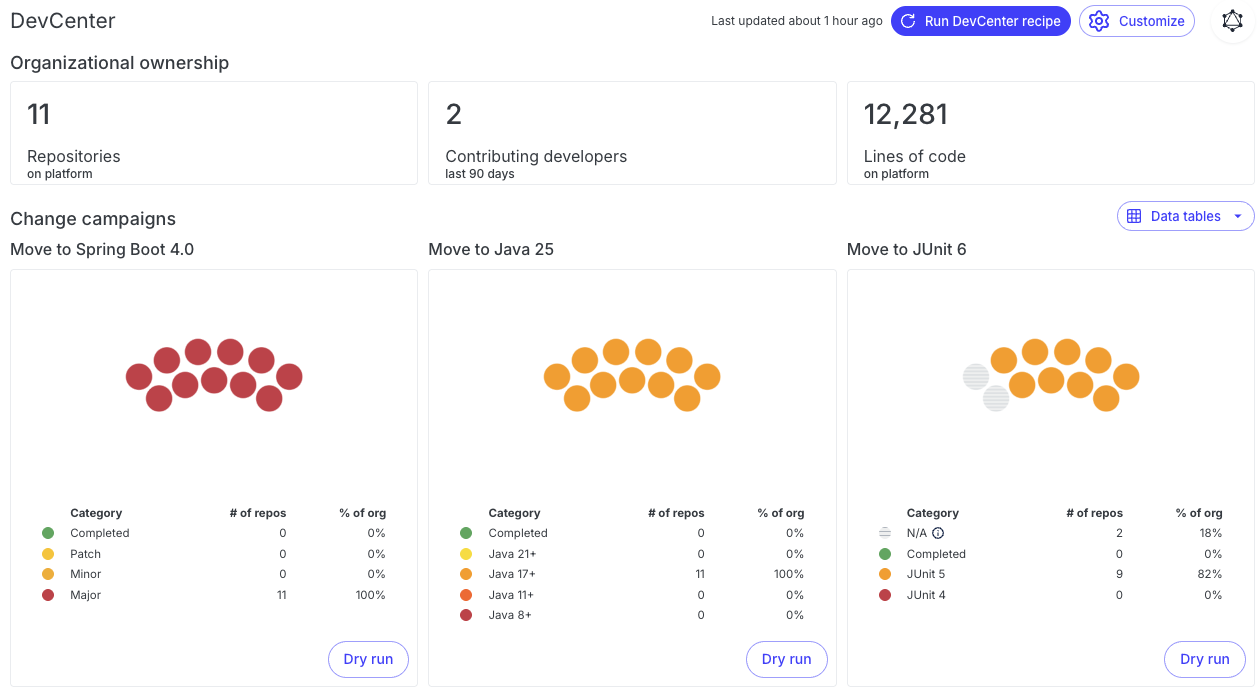
- Click DevCenter in the left nav. DevCenter is a dashboard that shows the upgrade status of your repositories at a glance — Java versions, Spring Boot versions, security issues, and more.
- Note the current status of Java and Spring Boot versions.
- Keep this page handy so you can compare after upgrading each group of repositories.
Exercise 1-2: Run the full migration recipe in the Moderne Platform
Goals for this exercise
- Run the Spring Boot 4 migration recipe across an organization
- Inspect failures and identify migration blockers
Steps
Step 1: Open the Moderne Platform
- If you haven't already, navigate to app.moderne.io and sign in.
- Confirm that Moderne - Training is selected in the organization dropdown.
Step 2: Create a migration recipe
- Click Builder in the left navigation.

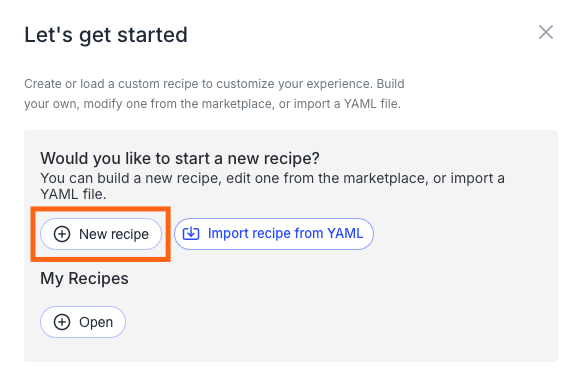
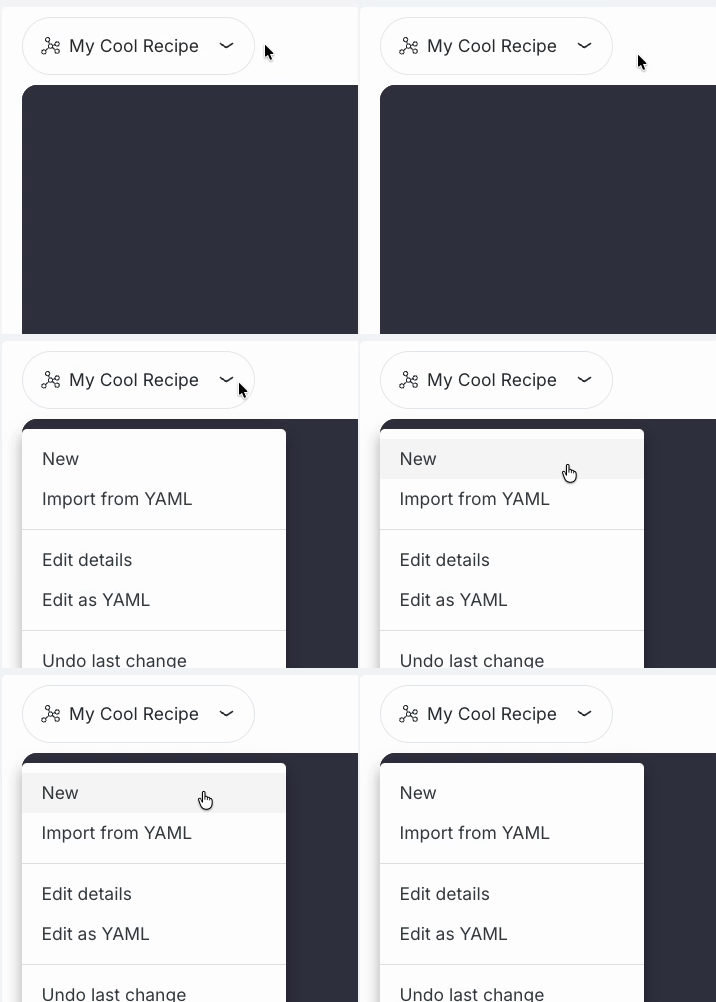
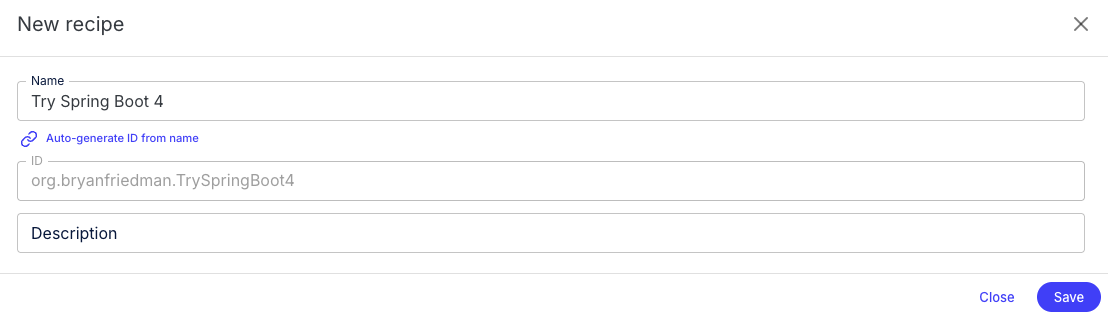
- Click + New recipe at the bottom of the "Manage my recipes" screen. If the builder already has a recipe open, click the recipe name in the upper left and select New.
- Enter the name
Try Spring Boot 4 Upgradeand save.
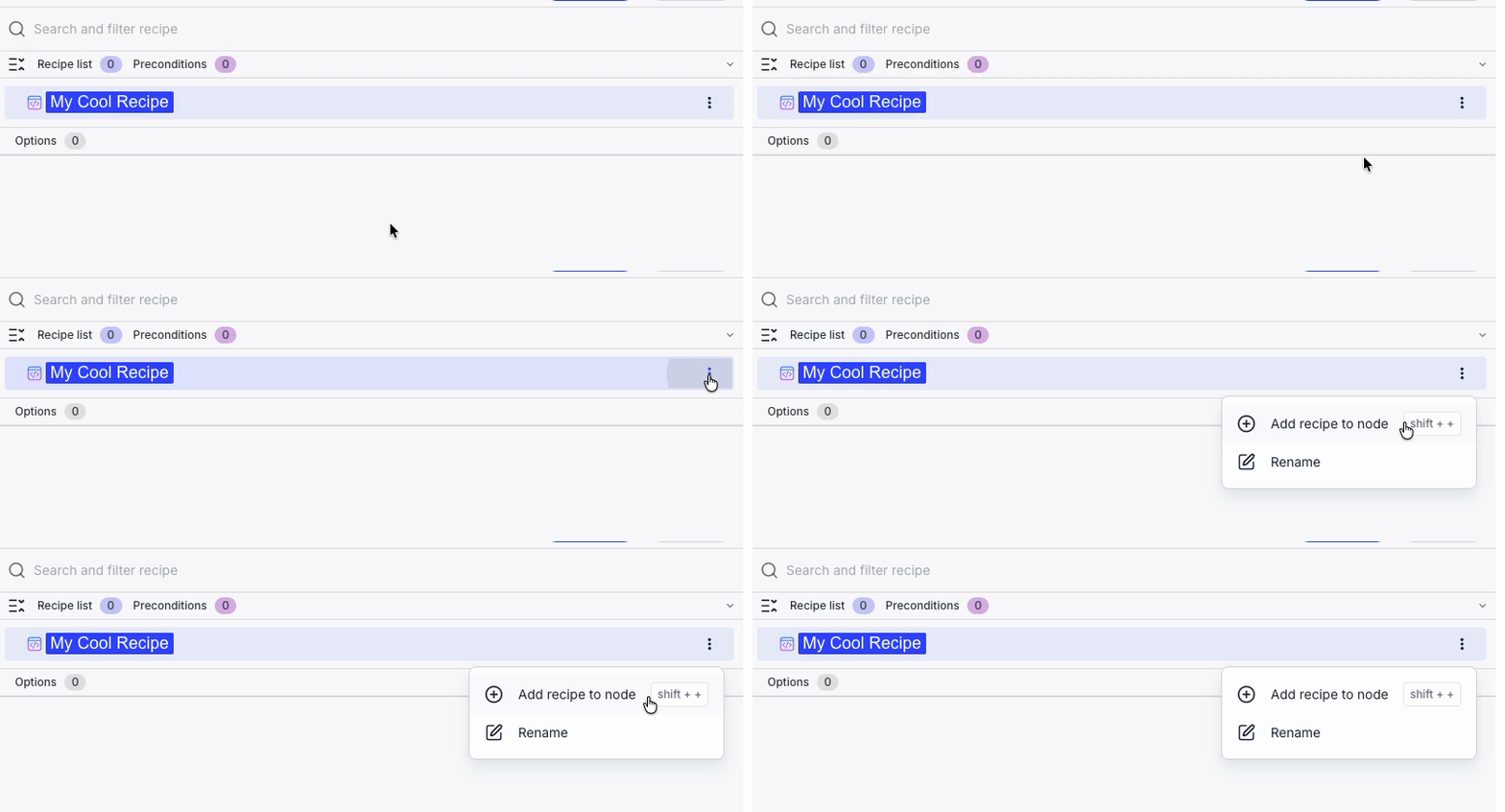
- Mouse over the root node in the recipe list and click the
+button.
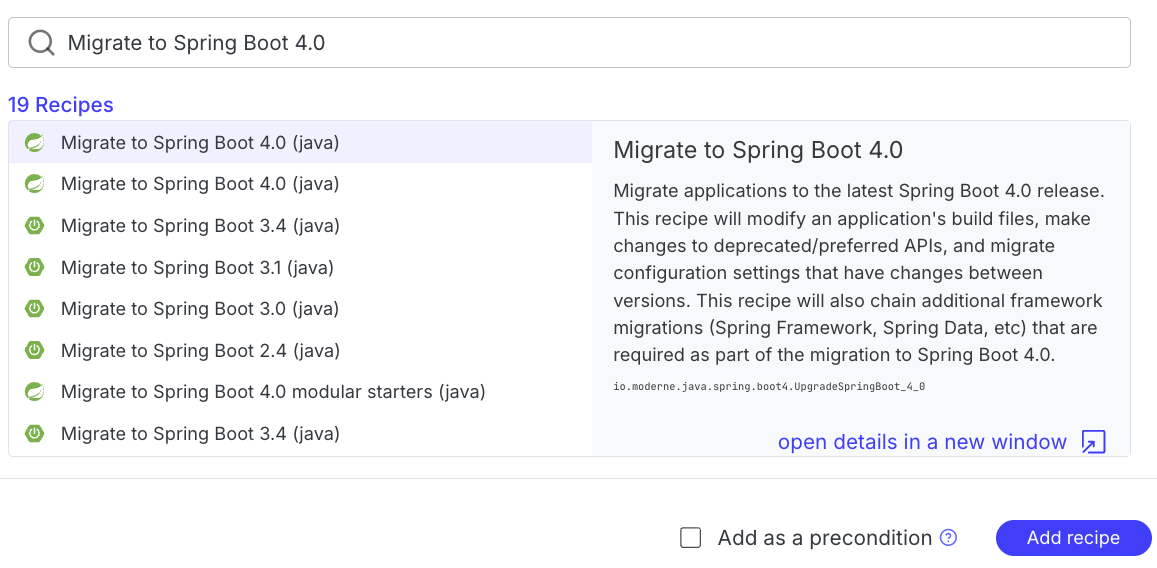
- Search for
Migrate to Spring Boot 4.0(io.moderne.java.spring.boot4.UpgradeSpringBoot_4_0) and select it. - Click Add recipe.
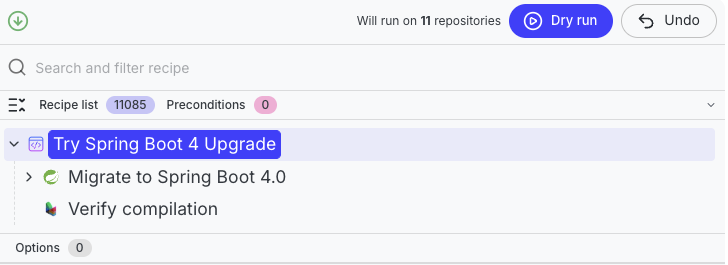
- Click the
+next to the root node in the recipe list again and search forVerify compilation(io.moderne.compiled.verification.VerifyCompilation) this time. Click Add recipe to add it.
Step 3: Run the recipe and review the migration
- Run the recipe against the organization by clicking the Dry Run button above the recipe list. A dry run executes the recipe across all repositories in the selected organization and shows you what changes it would make, without actually modifying any code.
- Open the change tree and click into a few files to review. Look for failures highlighted in the diffs by yellow squiggly lines.
- Take a few minutes to review the failures and note missing or incompatible classes and dependencies.
Common blockers include:
- Incompatible build tool versions, plugins, or inconsistent configuration
- Third-party dependencies that are incompatible, no longer exist, or have moved
- Generated code that is tied to older Java or Spring APIs
- Inter-repository dependencies that need to be built in a specific order
In this workshop, you will likely see:
- Missing "Q" classes from QueryDSL code generation (for example,
QOrder,QInventory) - Test compile errors from Spring Boot test API changes or older JUnit versions
- Missing managed dependency versions caused by a Spring Boot starter being moved, replaced, or some particular functionality being deprecated or removed (for example,
spring-cloud-starter-zipkinno longer managed by Spring Boot 4)
These are common migration speed bumps. The rest of the workshop is structured to handle them methodically.
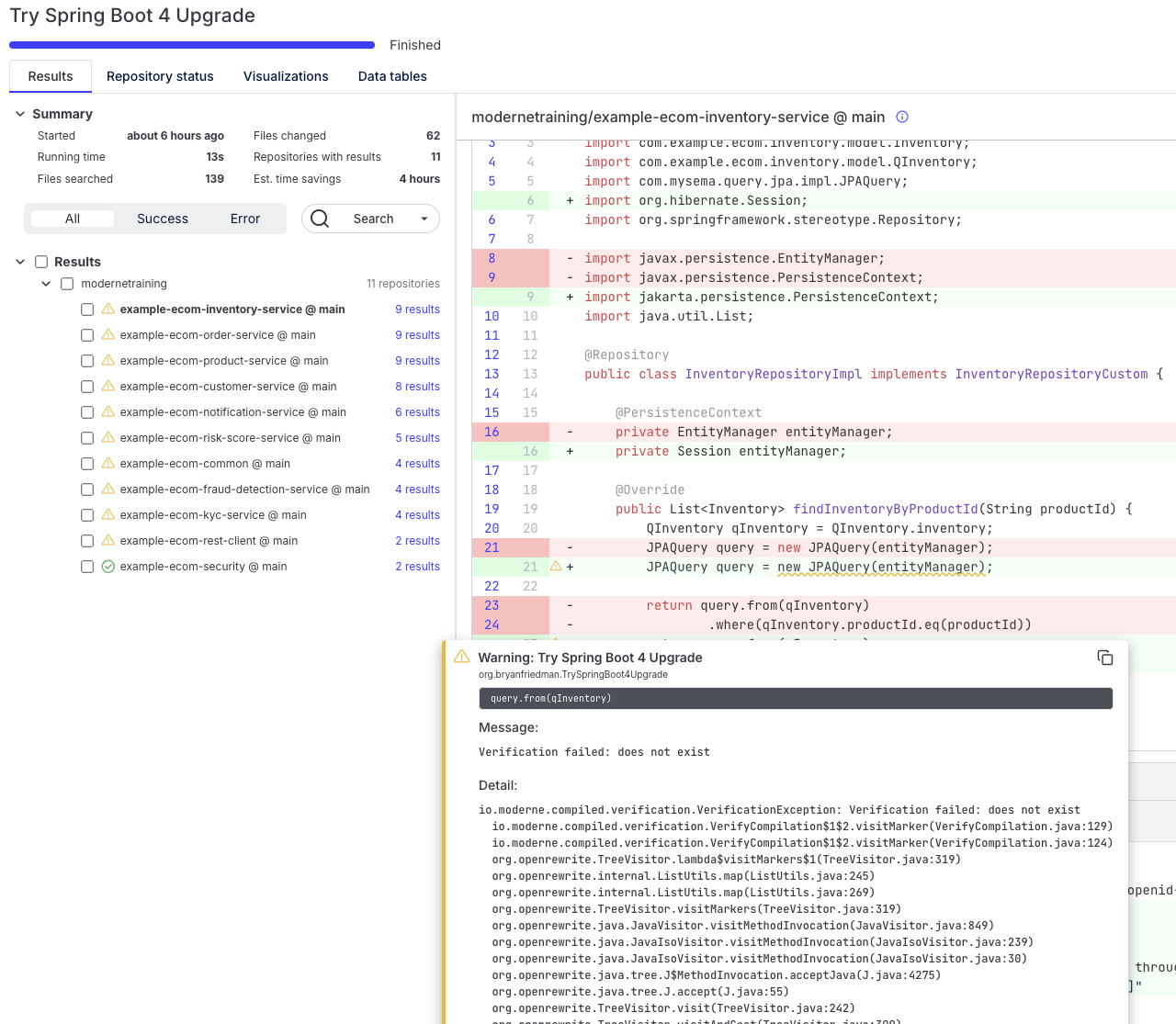
A migration dry run plus the Verify compilation recipe (io.moderne.compiled.verification.VerifyCompilation) gives you a quick picture of what will break before you start the real work.
Exercise 1-3: Run code insight recipes
Goals for this exercise
- Identify Java versions and build tooling in use
- Discover current Spring Boot versions across your repositories
- Find
javax.*usage hotspots and code generators
Steps
Step 1: Understand your Java adoption
- Click Marketplace in the left navigation to browse available recipes. Search for and select
Plan a Java version migration(org.openrewrite.java.migrate.search.PlanJavaMigration). - Make sure Moderne - Training is still selected and click Dry run to run the recipe against the org.
- After the recipe run, click on the Data tables tab. Some recipes do not modify code — instead they analyze it and produce structured output called "data tables." Download and open the
Java version migration plandata table as a CSV or Excel file.
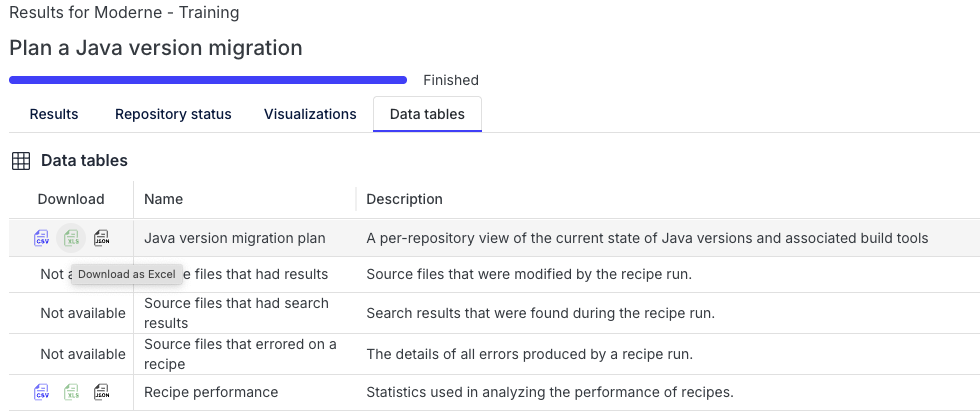
You won't see any diff results when running this recipe. It only generates data tables that you can access from the Data tables tab.
This helps you confirm the baseline Java versions and build tooling in use so you know what you are starting from. For this example, you're using Java 8 and Maven across the board.
Step 2: Inspect Spring Boot versions
- From the Marketplace, search for and select
Dependency insight for Gradle and Maven(org.openrewrite.java.dependencies.DependencyInsight). - Configure the options:
- Group pattern:
org.springframework.boot - Artifact pattern:
* - Scope:
runtime
- Group pattern:
- Click Dry run and wait for the recipe run to complete. Now open the
Dependencies in usedata table and download the CSV. - On the Visualizations tab, run the
Dependency usage visualization. Visualizations offer interactive views of the data produced by the recipe run.
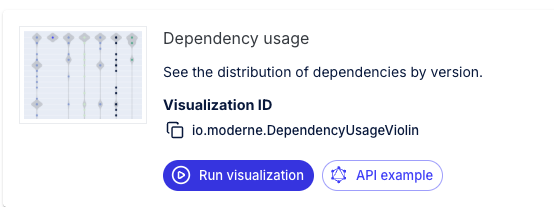
The data table and visualization give you a distribution view of current Spring Boot versions, which is useful to help you cluster repos into upgrade groups.
Step 3: Find javax.* usage
While you can run libraries compiled with an older version of Java in newer versions of JVM, the Java runtime has deprecated specific APIs and ultimately removed or refactored those as it has evolved. Perhaps the most prominent example of this is the many javax.* APIs that were moved out of the JVM and into the Jakarta namespace. When you see high javax.* usage, expect more work to move to jakarta.* during the Spring Boot 4 upgrade.
- From the Marketplace, search for and select
Find types(org.openrewrite.java.search.FindTypes). - Configure the option:
- Fully qualified type name:
javax..*
- Fully qualified type name:
- Click Dry run.
- Open the
Type usesdata table and note the top usage hotspots.
You can see that some of these projects use the validation and persistence APIs. This is something to keep an eye on to make sure that migration recipes upgrade to the new packages.
Step 4: Locate code generators (QueryDSL)
Code generators like QueryDSL are often the hardest blockers because they can emit code that is tightly coupled to older Java and Spring APIs.
- From the Marketplace, search for and select
Find Maven plugins(org.openrewrite.maven.search.FindPlugin). - Configure the options:
- Group ID:
com.mysema.maven - Artifact ID:
apt-maven-plugin
- Group ID:
- Click Dry run.
- Open the
SearchResultsdata table and note which repos use QueryDSL.
You should see four services that are using QueryDSL as part of their persistence layer.
Other useful code insight recipes you may want to explore later: FindInternalJavaxApis (org.openrewrite.java.migrate.search.FindInternalJavaxApis), FindDeprecatedUses (org.openrewrite.java.search.FindDeprecatedUses), and RelocatedDependencyCheck (org.openrewrite.java.dependencies.RelocatedDependencyCheck).
Takeaways
- A full migration dry run surfaces real blockers before you start making changes.
- Code insight recipes help you quantify Java, Spring Boot, and
javax.*usage hotspots. - DevCenter gives you a baseline view to compare against after each wave.